Screen
Keep score on game night
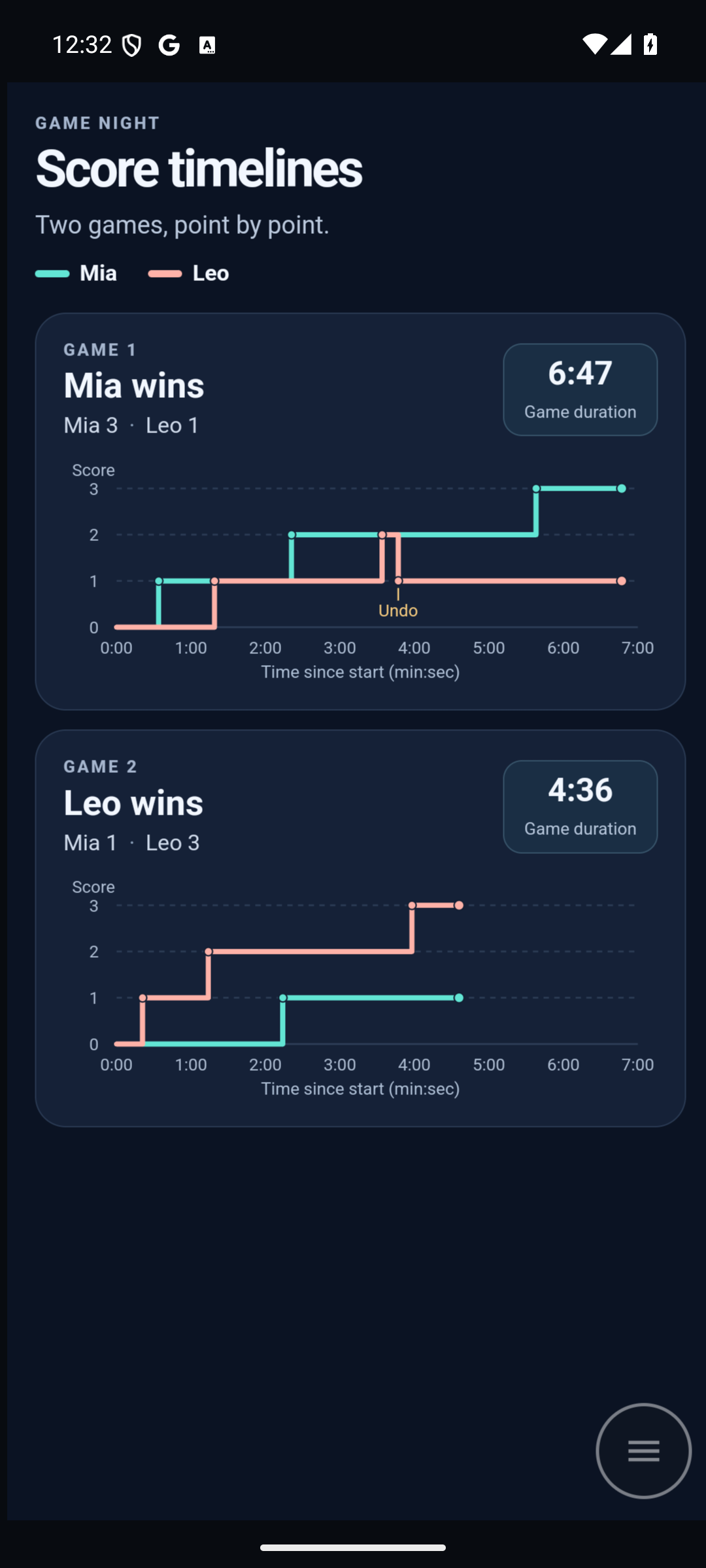
Set a spare Android phone on the table for a few games with a friend. Tap to keep score as you play. Afterwards, ask ChatGPT to chart how the lead changed and see if the rematch was quicker.
Ask ChatGPT for a scoreboard
Open a ChatGPT chat with Screen for AI enabled. Paste this prompt and add your screen’s name if you have more than one.
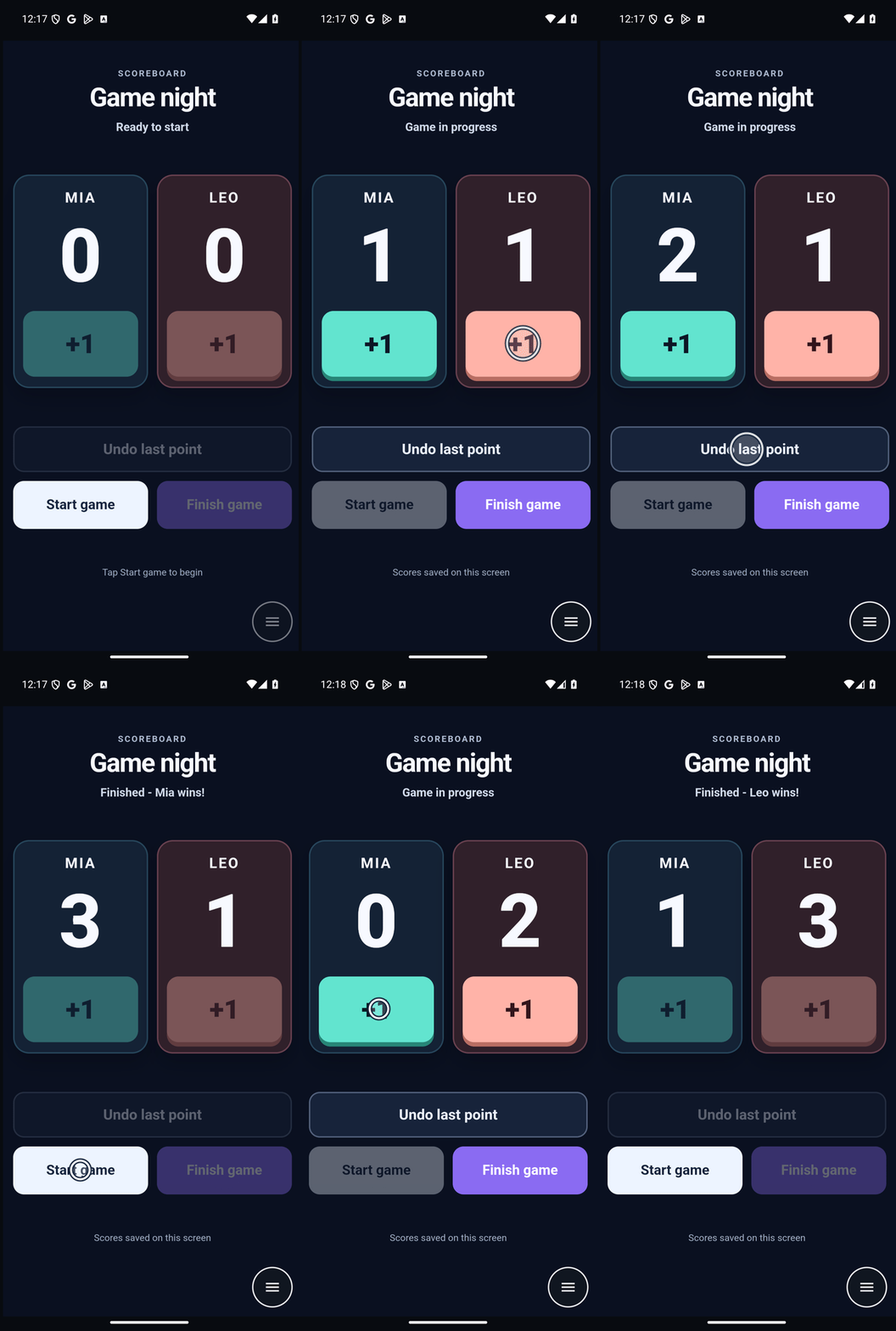
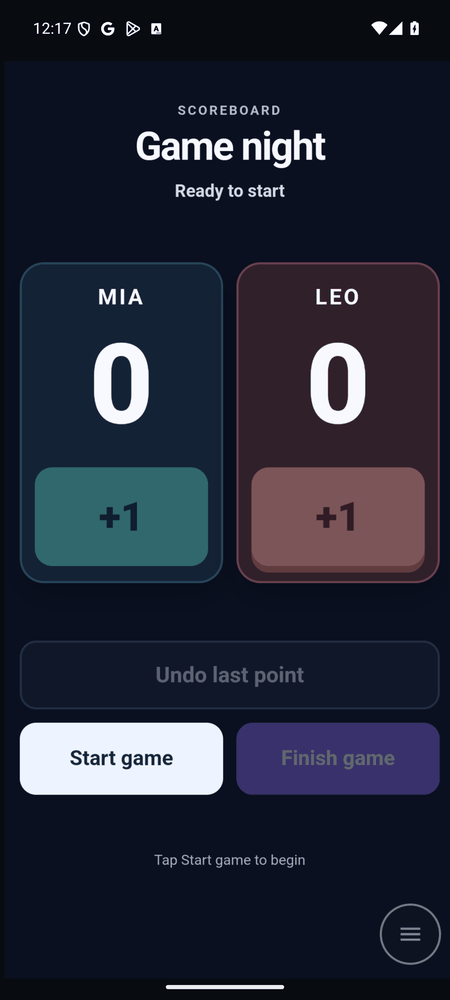
Use Screen for AI to put a scoreboard called “Game night” on my Android screen. Give Mia and Leo big +1 buttons and an Undo last point button. Add Start game and Finish game buttons.
Tap as you play
Tap the player’s +1 as each point is scored.
Play scoring animationHide scoring animation
Plot the scores
After the last game, go back to the same chat and ask ChatGPT to use the scores you recorded.
Read the saved scores and times from the Game night page. Plot each player’s running score as a stepped line for each game, with minutes since that game started along the bottom. Show the charts on my Android screen.